
10. Animation
Pip walks, collects pickups and wins, but it glides over the ground like a statue. Pip’s mesh file already holds what it needs to move its arms and legs: a Skin with 12 Joints and two Clips, Idle and Walk. Until now, no Draw named a Clip, so Pip stood still in its bind pose. In this chapter, you:
- find the Idle and Walk Clips in the Manifest,
- keep the time of each Clip in your Model,
- fade from Idle to Walk while Pip moves, and back when it stops.
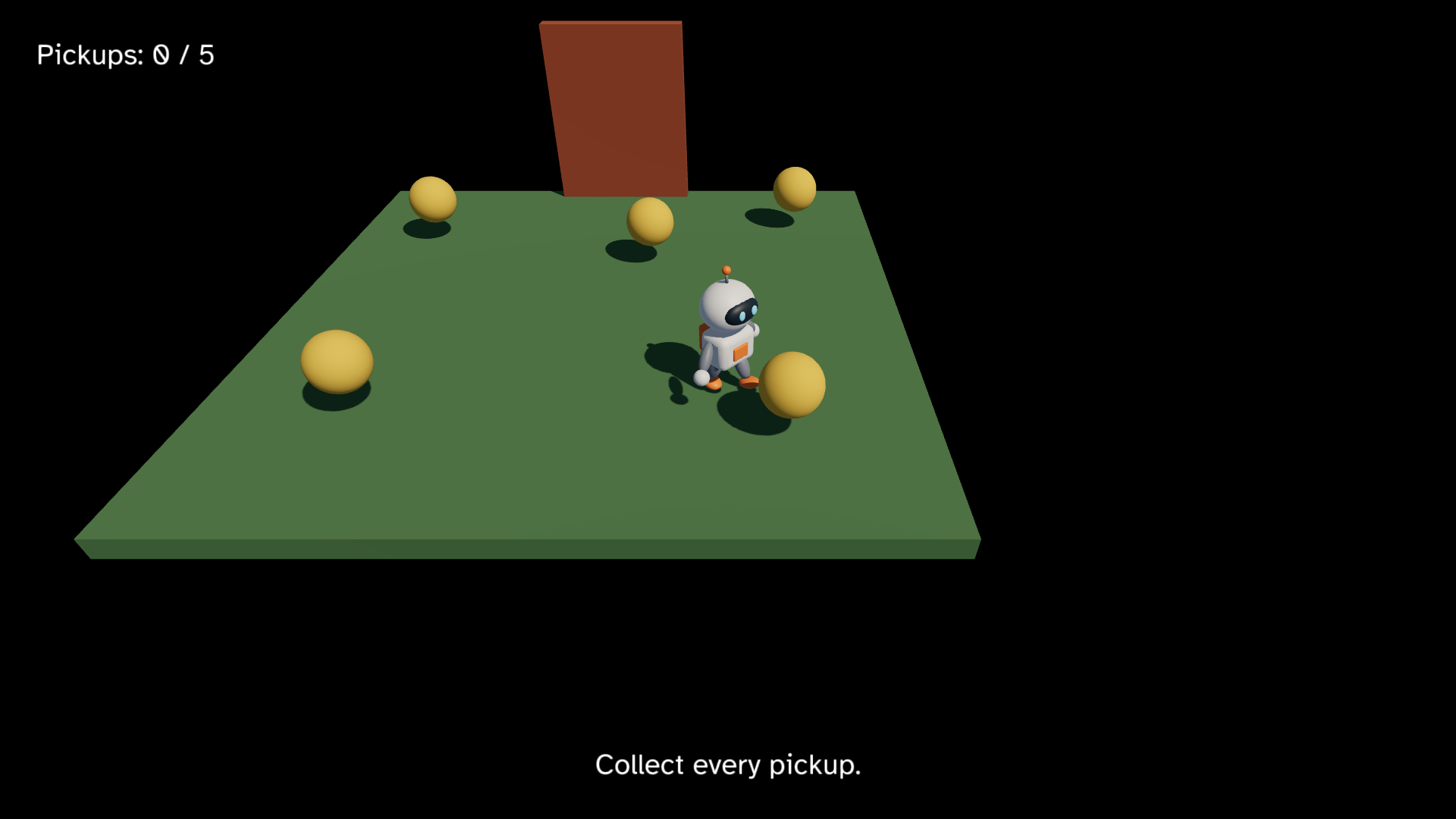
This chapter starts from your app from 9. A gamepad. The
full app is
examples/tutorial/10-animation/main.roc.
To see every change, compare the two chapter apps:
git diff --no-index examples/tutorial/09-gamepad/main.roc examples/tutorial/10-animation/main.rocThe header and the sounds stay the same. If you downloaded pip.glb before
rocco could load a Skin, your copy may have no Clips. Download
pip.glb
again into pip/assets/meshes/.
The imports
Import pf.Pose:
import cam.Camera as Cam
import linalg.Vec3 as V
import linalg.Quat
import mesh.Mesh as Mesh
import ui.Ui
import pf.Vocabulary exposing [Command, Contact, Element, Manifest, Vec3]
import pf.Button
import pf.Collider
import pf.Config
import pf.Draw
import pf.Input
import pf.Key
import pf.Launch
import pf.Light
import pf.Pose
import pf.Query
import pf.QueryResults
import pf.Scene
import pf.Sound
import pf.Speaker
Pose builds the pose of a Draw and wraps the time of a Clip that
repeats. The linalg package also has a module called Pose, for a
position and a rotation. Pip’s app does not import it. If your game needs
both, import one of them under another name with as, as this app does
with cam.Camera as Cam.
Clips in the Manifest
A Clip is one named set of keys for the Joints of a Skin, such as Idle or Walk. When a Pack loads, the host gives each Clip an id, and the Manifest entry of its mesh lists the Clips with their names, ids and durations. As with mesh ids, the game keeps the ids it needs in its Model:
# A Clip id of 0 is no Clip, so Pip stands in its bind pose. Each duration is
# 0 until loaded gives it.
Clips : { idle : U32, walk : U32, idle_duration : F32, walk_duration : F32 }

# Each time is in seconds, wrapped into its Clip. fade goes from 0, all Idle,
# to 1, all Walk.
Animation : { idle_time : F32, walk_time : F32, fade : F32 }

# pip is 0, the fallback mesh, and each Sound id is 0 until loaded gives the ids.
# yaw turns Pip about +y. At 0, Pip faces +z.
# door_lift goes from 0, shut, to door_height, open.
Model : { cube : U32, sphere : U32, pip : U32, sounds : Sounds, clips : Clips, animation : Animation, pos : Vec3, yaw : F32, pickups : List(Pickup), door_lift : F32, phase : Phase }Clipsholds the id and the duration in seconds of each Clip.Animationholds what the Model moves each step: the time of each Clip and the fade between them.
Clip id 0 is no Clip, and a mesh with no Clip draws in its bind pose. So
init starts with zeros, as it does for the mesh and Sound ids:
init : Vocabulary.Config -> { model : Model, commands : List(Command) }
init = |_config| {
	clips = { idle: 0, walk: 0, idle_duration: 0.0, walk_duration: 0.0 }
	animation = { idle_time: 0.0, walk_time: 0.0, fade: 0.0 }
	model = { cube: Mesh.primitive(Cube), sphere: Mesh.primitive(Sphere), pip: 0, sounds: { blip: 0, creak: 0, hum: 0, music: 0 }, clips, animation, pos: V.zero, yaw: 0.0, pickups: start_pickups, door_lift: 0.0, phase: Playing }
	{ model, commands: [Load({ pack: "pip", assets: ["pip", "sound/blip", "sound/creak", "sound/hum", "sound/music"] })] }
}
In loaded, find the two Clips by the mesh’s name and the Clip’s name:
loaded : Model, Str, Manifest -> Model
loaded = |model, _pack, manifest| {
	sounds = { blip: Sound.resolve(manifest, "sound/blip"), creak: Sound.resolve(manifest, "sound/creak"), hum: Sound.resolve(manifest, "sound/hum"), music: Sound.resolve(manifest, "sound/music") }
	idle = Mesh.clip(manifest, "pip", "Idle")
	walk = Mesh.clip(manifest, "pip", "Walk")
	clips = { idle, walk, idle_duration: Mesh.clip_duration(manifest, idle), walk_duration: Mesh.clip_duration(manifest, walk) }
	{ ..model, pip: Mesh.resolve(manifest, "pip"), sounds, clips }
}
Mesh.clip(manifest, "pip", "Idle") gives the id of the Idle Clip of the
mesh pip. If the mesh or the Clip is not in the Manifest, it gives 0 and
prints the two names with dbg, so a misspelt name shows up in the log.
Mesh.clip_duration gives the duration of a Clip id, or 0 for an id it
does not know.
The time is yours
The host has no clock for a Clip. Each step, the Model moves the time of
each Clip, and view tells the host which Clip to draw at which time. That
keeps step pure: a test can put Pip at any moment of any Clip.
Walk should play at the speed you ask Pip to walk at. That speed comes
from the input, so first pull the direction out of walk into its own
function, move_dir:
# W and the stick pushed up move away from the camera, toward -z.
move_dir : Vocabulary.Input -> Vec3
move_dir = |input| {
	stick = left_stick(input)
	clamp_to_disc({ x: Key.axis(input, A, D) + stick.x, y: 0.0, z: Key.axis(input, W, S) - stick.y })
}

walk : Model, Vocabulary.Input, F32 -> Model
walk = |model, input, dt| {
	dir = move_dir(input)
	if dir == V.zero {
		model
	} else {
		moved = V.add(model.pos, V.scale(dir, speed * dt))
		{ ..model, pos: { x: keep_on_ground(moved.x), y: 0.0, z: keep_on_ground(moved.z) }, yaw: F32.atan2({ x: dir.z, y: dir.x }) }
	}
}
In step, pipe the next Model through animate in each phase. While
playing, it gets the speed the input asks for. After the win, Pip spins in
place, so it gets 0:
step : Model, Vocabulary.Input, Vocabulary.QueryResults, F32 -> { model : Model, commands : List(Command) }
step = |model, input, results, dt| {
	contacts = results.contacts
	next = match model.phase {
		Playing => collect(model, contacts) |> push_out(contacts) |> walk(input, dt) |> raise_door(dt) |> win(contacts) |> animate(input_speed(input), dt)
		Won => spin(model, dt) |> animate(0.0, dt)
	}
	{ model: next, commands: quit(input).concat(blip(model, next)) }
}
animate moves the two times and the fade:
# The ground speed that the feet of the Walk Clip match, in units each second.
walk_speed : F32
walk_speed = 2.5

# Seconds to fade all the way from Idle to Walk, or back.
fade_seconds : F32
fade_seconds = 0.2

# The speed that the keys and the sticks ask Pip to walk at, in units each second.
input_speed : Vocabulary.Input -> F32
input_speed = |input| speed * V.length(move_dir(input))

# Idle plays at its own pace. Walk plays at the speed the input asks for, so
# the feet keep up with the ground. The fade moves toward Walk while the input
# asks Pip to walk.
animate : Model, F32, F32 -> Model
animate = |model, walking_speed, dt| {
	c = model.clips
	a = model.animation
	step_fade = dt / fade_seconds
	fade = if walking_speed > 0.0 F32.min(a.fade + step_fade, 1.0) else F32.max(a.fade - step_fade, 0.0)
	idle_time = Pose.loop(a.idle_time + dt, c.idle_duration)
	walk_time = Pose.loop(a.walk_time + dt * walking_speed / walk_speed, c.walk_duration)
	{ ..model, animation: { idle_time, walk_time, fade } }
}input_speedis Pip’sspeedtimes the length ofmove_dir. With the stick pushed halfway, it is half ofspeed.- Idle’s time moves by
dt, so Idle plays at its own pace. - Walk’s time moves by
dt * walking_speed / walk_speed. At full speed the Walk Clip plays at its normal pace, and the feet keep up with the ground. With the stick pushed halfway, Pip walks at half speed, and so does the Clip. When you let go, the Walk time stops too. - The speed comes from the input, not from how far Pip moved. The shut door pushes Pip back with no key held, and that push should not play Walk.
Pose.loop(time, duration)wraps a time into the range from 0 up to the duration, so the Clip repeats. Wrap the time each step, and it stays small enough for anF32to keep it exact. Beforeloaded, the durations are 0, andPose.loopgives 0.
The host never wraps a time. A time past the end of a Clip holds the last key, so a Clip that should play once just keeps its time, and it stops on its last frame.
The fade
The fade goes from 0, all Idle, to 1, all Walk. While you ask Pip to
walk, it rises by dt / fade_seconds each step, and while you do not, it
falls by the same amount. So it takes 0.2 s to fade all the way from one Clip to the other.
Halfway through, Pip is half in Idle and half in Walk.
You do not mix the Clips yourself. The host samples both Clips at their own times and mixes each Joint by the fade. Idle keeps its time while Pip walks, so when Pip stops, Idle picks up where it was.
The Pose of a Draw
A Draw has a pose field with five values:
clipandtime: the first Clip and the time in it,fade_clipandfade_time: the second Clip and the time in it,fade: how much of the second Clip to show, from 0 to 1.
pip_pose builds Pip’s Pose from the Model:
pip_pose : Model -> Vocabulary.Pose
pip_pose = |model| {
	c = model.clips
	a = model.animation
	{ clip: c.idle, time: a.idle_time, fade_clip: c.walk, fade_time: a.walk_time, fade: a.fade }
}
In view, give Pip’s Draw the Pose with pose: pip_pose(model):
view : Model -> Vocabulary.Scene
view = |model| {
	ground = { ..Draw.default, id: ground_id, mesh: model.cube, pos: { x: 0.0, y: -0.1, z: 0.0 }, scale: { x: 6.0, y: 0.2, z: 6.0 }, tint: { r: 0.12, g: 0.25, b: 0.1 } }
	pip = { ..Draw.default, id: pip_id, mesh: model.pip, pos: model.pos, rot: Quat.from_yaw(model.yaw), pose: pip_pose(model) }
	door = { ..Draw.default, id: door_id, mesh: model.cube, scale: V.scale(door_half, 2.0), tint: { r: 0.45, g: 0.12, b: 0.05 } }
	door_group = Group({ id: door_group_id, pos: { ..door_pos, y: door_pos.y + model.door_lift }, rot: Quat.identity }, [Draw(door)].concat(door_speakers(model)))
	pickups = model.pickups.map(|p| Draw(pickup(model.sphere, p)))
	# The camera is the Listener, so it follows Pip to let you hear the door come closer.
	camera = Cam.follow({ ..model.pos, z: model.pos.z + 0.3 }, camera_offset)
	# The box's centre is half its height up, so it stands on Pip's feet.
	pip_box = Collider.box(pip_id, { ..model.pos, y: pip_half.y }, Quat.from_yaw(model.yaw), pip_half)
	# The doorway keeps its Collider while the door rises.
	door_box = Collider.box(door_id, door_pos, Quat.identity, door_half)
	colliders = [Collider(pip_box), Collider(door_box)].concat(model.pickups.map(|p| Collider(Collider.sphere(p.id, p.pos, pickup_radius))))
	queries = [Query.contacts_of(pip_id)]
	nodes = [Light(sky_light), Light(sunlight), Speaker(music(model)), Draw(ground), Draw(pip), door_group].concat(pickups).concat(colliders)
	{ ..Scene.empty, camera, nodes, queries, ui: hud(model) }
}
Draw.default has a Pose of all zeros, so every other Draw stays as it
was. For one Clip with no fade, use Pose.still(clip, time).
The host interpolates the Pose between two steps, as it does pos and
rot, so Pip moves smoothly at any frame rate. A time that wraps back to
the start does not blend backwards. See
Pairing by id.
Rules for Clips
- Clips are in place. The host poses the Joints, but it never moves the Draw. The Model moves Pip, and the Walk Clip only swings the arms and legs. Key your own Clips in place too.
- No non-uniform Joint scale. The host turns the normals with the same
matrix that moves each vertex. If a Joint scales more along one axis
than another, the normals bend the wrong way and the lighting looks
wrong. A Joint may scale the same along every axis. This rule is about
the Joints in the
.glb, not thescaleof a Draw. - A Clip belongs to one mesh. A Draw that names a Clip of another mesh draws its bind pose, and the host logs it once.
- One Skin per file. A
.glbholds at most one Skin, with at most 64 Joints, and its keys are LINEAR or STEP. A file that breaks a rule does not load. See Meshes from glTF for the full list and the log line.
Test the Clips
The times and the fade are plain numbers in the Model, so you test them like Pip’s position. Add these tests below the tests from chapter 9:
# Pip after loaded, with the Idle Clip 2 s long and the Walk Clip 1 s long.
animated : Model
animated = { ..start, clips: { idle: 1, walk: 2, idle_duration: 2.0, walk_duration: 1.0 } }

# One step of W fades halfway to Walk. Walk moves by dt x speed / walk_speed.
expect {
	a = step(animated, hold([W]), QueryResults.empty, 0.1).model.animation
	near(a.fade, 0.5) and near(a.walk_time, 0.1) and near(a.idle_time, 0.1)
}

# The fade stops at 1, all Walk.
expect {
	walking = { ..animated, animation: { idle_time: 0.0, walk_time: 0.0, fade: 0.9 } }
	step(walking, hold([W]), QueryResults.empty, 0.1).model.animation.fade == 1.0
}

# Standing still fades back toward Idle, and the walk time stays.
expect {
	walking = { ..animated, animation: { idle_time: 0.0, walk_time: 0.5, fade: 1.0 } }
	a = step(walking, Input.empty, QueryResults.empty, 0.1).model.animation
	near(a.fade, 0.5) and a.walk_time == 0.5
}

# The stick halfway up plays Walk at half speed.
expect {
	half_up = { ..Input.idle_gamepad, left_stick: { x: 0.0, y: 0.5 } }
	near(step(animated, with_pads([half_up]), QueryResults.empty, 0.1).model.animation.walk_time, 0.05)
}

# The shut door pushes Pip back with no key held, and Pip does not walk.
expect {
	at_door = { ..animated, pos: { x: 0.0, y: 0.0, z: -2.6 } }
	a = step(at_door, Input.empty, contact_with(door_id), 0.1).model.animation
	a.fade == 0.0 and a.walk_time == 0.0
}

# After the win, Pip spins in Idle, even with W held.
expect {
	won = { ..animated, phase: Won, animation: { idle_time: 0.0, walk_time: 0.5, fade: 1.0 } }
	a = step(won, hold([W]), QueryResults.empty, 0.1).model.animation
	near(a.fade, 0.5) and a.walk_time == 0.5
}

# Each time wraps back to the start of its Clip.
expect {
	late = { ..animated, animation: { idle_time: 1.95, walk_time: 0.95, fade: 1.0 } }
	a = step(late, hold([W]), QueryResults.empty, 0.1).model.animation
	near(a.idle_time, 0.05) and near(a.walk_time, 0.05)
}

# Pip's Draw plays Idle and fades to Walk.
expect {
	pose = pip_pose({ ..animated, animation: { idle_time: 1.5, walk_time: 0.25, fade: 0.5 } })
	pose == { clip: 1, time: 1.5, fade_clip: 2, fade_time: 0.25, fade: 0.5 }
}
start has no Clip ids and durations of 0, so Pose.loop holds its times
at 0. animated gives it the ids and durations that loaded would. Run
the tests:
roc test main.rocPlay the game
In pip/, run:
roc main.rocPip stands and breathes, with a small nod of its head. Walk, and it fades into a stride that matches its speed. Push the stick halfway, and the stride slows down. Let go, and Pip fades back into Idle.
If Pip stands still in its bind pose and never moves its legs, a Clip name
did not match: look for the dbg line from Mesh.clip in the log.
You have made a whole game, with a character that walks. The guide pages explain each part in more detail. Start with Assets and Packs and The Scene, or read Shipping a game to build your game for other people.