
1. A window, a camera and a cube
In this tutorial, you make a small game. Pip, a little robot, walks on the ground, collects pickups and opens a door. Each chapter adds one part of the game and teaches the calls that part needs.
Every game starts with something on the screen. In this chapter, you open a window and draw a cube, using three of the five calls:
launchsets up the window.initgives the first Model.viewgives the Scene: the camera, the cube and the lights.
Each chapter has a full app in examples/tutorial/. For this chapter it is
examples/tutorial/01-window/main.roc.
If you get lost, compare your file with it.
Before you start
Install Roc as Install and first run explains, and use the Roc nightly that the release names.
If you read this page on GitHub, the Roc nightly and the bundle URLs show as markers in double braces. You can find the values in the notes of the latest release.
Make the game folder
- Make a folder called
pip. - Make the file
pip/main.roc. - Put this header at the top of
pip/main.roc:
app [init, launch, loaded, step, view] { cam: "https://github.com/Pixelsprout/rocco-engine/releases/download/v0.6.0/camera-QiJqL4WFPQGUbBCMZ5bzjdLHhgRz7BiUw1ngwxWwHtP.tar.zst", mesh: "https://github.com/Pixelsprout/rocco-engine/releases/download/v0.6.0/mesh-5Fmg6uFHADmSBmZxNWDg25VStK6mU7YqhkWEXHjMEGNP.tar.zst", pf: platform "https://github.com/Pixelsprout/rocco-engine/releases/download/v0.6.0/platform-2gvPTPztQ7D8yQsMvRTD4rBKS8VmSwMCPZ432eWzNNtJ.tar.zst", roc: "nightly-2026-10-11-7d256b9" }The header names the five calls and the bundles. pf is the rocco
platform, mesh gives the ids of the primitive meshes, and cam points
the camera.
Import the modules
Below the header, add the imports:
import cam.Camera as Cam
import mesh.Mesh as Mesh
import pf.Vocabulary exposing [Command, Manifest]
import pf.Draw
import pf.Launch
import pf.Light
import pf.Scene
pf.Vocabulary holds the types that pass between your game and the host.
Draw, Launch, Light and Scene give the default records and the
lights that you start from.
The Model
The Model holds all of the state of your game. You declare its type, and the host holds the Model for you without ever reading inside it.
Model : { cube : U32 }cube is a mesh id. A Draw gives the host a mesh id, not the mesh itself.
launch
The host calls launch once, before it opens the window. Start from
Launch.default and set the window title:
launch : Vocabulary.Config -> Vocabulary.Launch
launch = |_config| { ..Launch.default, window: { ..Launch.default.window, title: "Pip" } }
The default window is 960 by 540. Launch describes each field.
init
The host calls init once, after launch. It returns the first Model and
a list of Commands:
init : Vocabulary.Config -> { model : Model, commands : List(Command) }
init = |_config| { model: { cube: Mesh.primitive(Cube) }, commands: [] }
The host makes three meshes itself: a cube, a sphere and a plane.
Mesh.primitive(Cube) gives the id of the cube, so you need no file for
it.
loaded and step
The header names five calls, so the app must have all five. For now,
loaded and step return the Model unchanged:
loaded : Model, Str, Manifest -> Model
loaded = |model, _pack, _manifest| model

step : Model, Vocabulary.Input, Vocabulary.QueryResults, F32 -> { model : Model, commands : List(Command) }
step = |model, _input, _results, _dt| { model, commands: [] }
Chapter 2 fills in loaded, and chapter 3 fills in step.
view
The host calls view after each step. It returns the Scene, which tells
the host what to draw:
sky_light : Vocabulary.Light
sky_light = Light.ambient({ r: 0.3, g: 0.3, b: 0.3 })

sunlight : Vocabulary.Light
sunlight = Light.directional({ x: -0.4, y: -0.8, z: -0.45 }, { r: 4.0, g: 4.0, b: 4.0 })

view : Model -> Vocabulary.Scene
view = |model| {
	cube = { ..Draw.default, id: 1, mesh: model.cube, tint: { r: 0.9, g: 0.22, b: 0.03 } }
	camera = Cam.look_at({ x: 2.0, y: 2.0, z: 4.0 }, { x: 0.0, y: 0.0, z: 0.0 })
	{ ..Scene.empty, camera, nodes: [Light(sky_light), Light(sunlight), Draw(cube)] }
}- The cube is a Draw. You start it from
Draw.defaultand set itsid, itsmeshand itstint. The cube is 1 unit wide and sits at the origin. Cam.look_atputs the eye at (2, 2, 4) and points it at the origin.+yis up.- The host has no light of its own, so with no lights the cube would be
black.
sky_lightis an ambient light, which lights every side a little.sunlightis a directional light, which lights the sides that face it. The Scene covers lights in more detail. nodesholds everything in the 3D view. Each thing is a Node, and you write its tag around it:Light(...)for a light andDraw(...)for a Draw. The list puts the lights first, then the cube.Scene.emptyfills in the other fields of the Scene.
Run the game
In pip/, run:
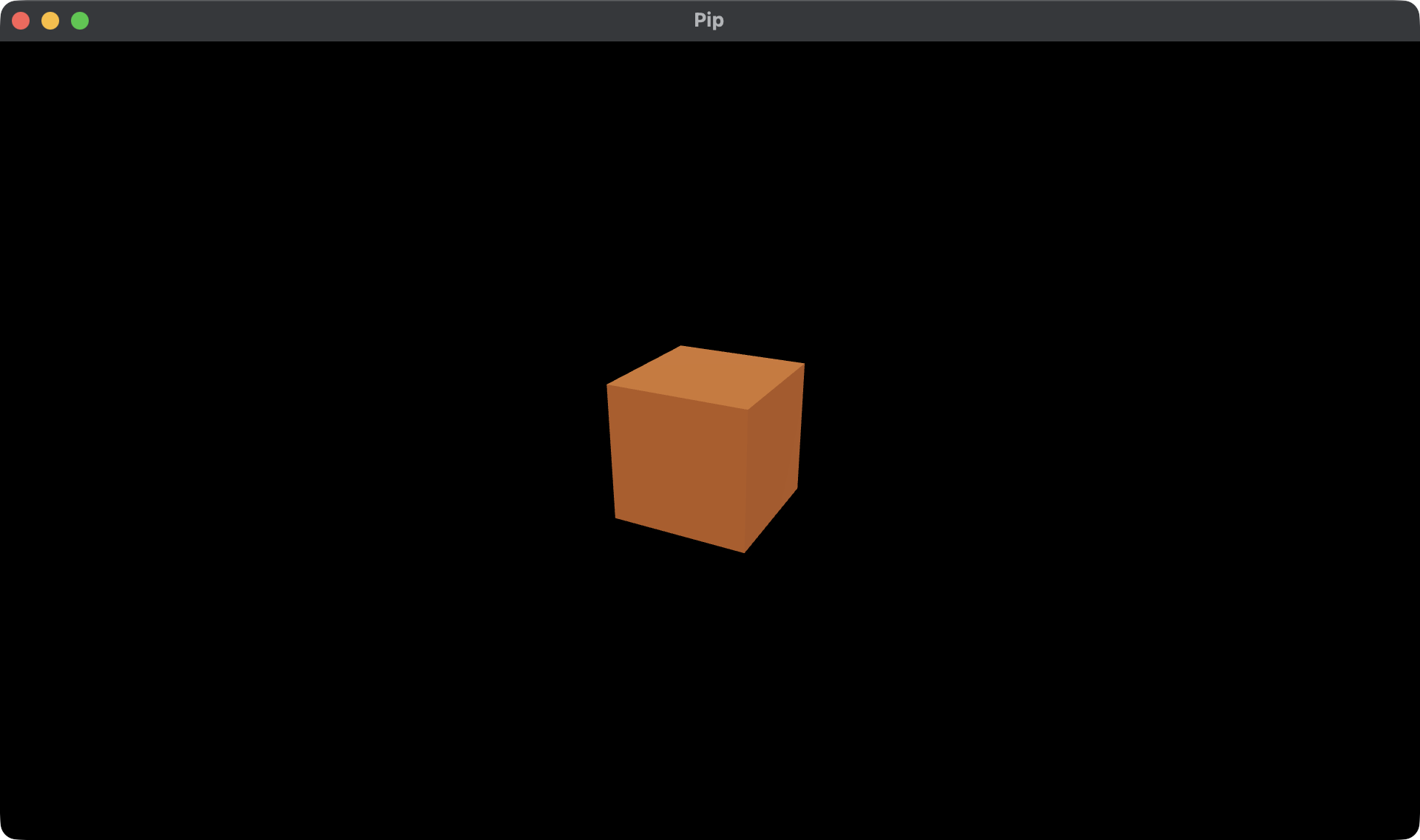
roc main.rocThe first run downloads the bundles and builds the game. Then a window called Pip opens and shows an orange cube. Close the window to stop the game.
Next, read 2. The character. You load Pip from a file, and the cube becomes the ground under it.