
3. Moving
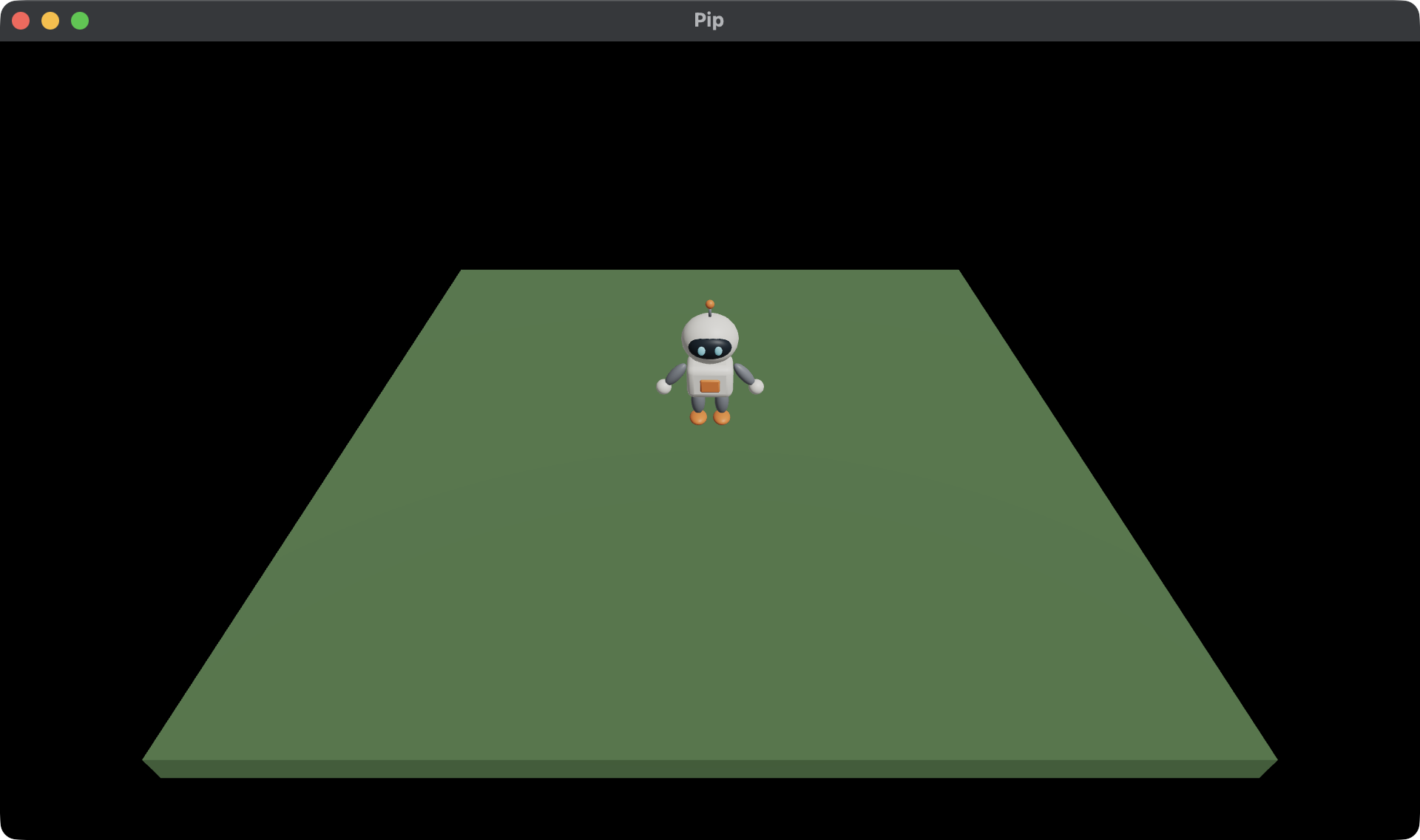
Pip stands still so far, because nothing changes the Model after init.
In this chapter, you make Pip walk with the keys W, A, S and D. You use:
- the
stepcall, which gives the next Model at each fixed step, - the Input, which tells you which keys are held and pressed.
This chapter starts from your app from 2. The character.
The full app is
examples/tutorial/03-moving/main.roc.
To see every change, compare the two chapter apps:
git diff --no-index examples/tutorial/02-character/main.roc examples/tutorial/03-moving/main.rocKeep pip/assets/meshes/pip.glb from chapter 2. It doesn’t change.
The header and the imports
Add the linalg package to the header. It gives you vectors and
rotations:
app [init, launch, loaded, step, view] { cam: "https://github.com/Pixelsprout/rocco-engine/releases/download/v0.6.0/camera-QiJqL4WFPQGUbBCMZ5bzjdLHhgRz7BiUw1ngwxWwHtP.tar.zst", linalg: "https://github.com/Pixelsprout/rocco-engine/releases/download/v0.6.0/linalg-4N62Pw77Sky6ba8RiBfvULjHuAQeQiqHbUor7qSeor7F.tar.zst", mesh: "https://github.com/Pixelsprout/rocco-engine/releases/download/v0.6.0/mesh-5Fmg6uFHADmSBmZxNWDg25VStK6mU7YqhkWEXHjMEGNP.tar.zst", pf: platform "https://github.com/Pixelsprout/rocco-engine/releases/download/v0.6.0/platform-2gvPTPztQ7D8yQsMvRTD4rBKS8VmSwMCPZ432eWzNNtJ.tar.zst", roc: "nightly-2026-10-11-7d256b9" }Then change the imports to these:
import cam.Camera as Cam
import linalg.Vec3 as V
import linalg.Quat
import mesh.Mesh as Mesh
import pf.Vocabulary exposing [Command, Manifest, Vec3]
import pf.Config
import pf.Draw
import pf.Input
import pf.Key
import pf.Launch
import pf.Light
import pf.QueryResults
import pf.Scene
Key reads the Input. Input and QueryResults give the empty values
that the tests use.
The Model
Pip now needs a position and a yaw. Add them to the Model:
# pip is 0, the fallback mesh, until loaded gives its id.
# yaw turns Pip about +y. At 0, Pip faces +z.
Model : { ground : U32, pip : U32, pos : Vec3, yaw : F32 }
Pip starts at the origin with a yaw of 0:
init : Vocabulary.Config -> { model : Model, commands : List(Command) }
init = |_config| {
	model = { ground: Mesh.primitive(Cube), pip: 0, pos: V.zero, yaw: 0.0 }
	{ model, commands: [Load({ pack: "pip", assets: ["pip"] })] }
}
step
The host calls step once for each fixed step, 120 times each second.
step gets the Model, the Input, the QueryResults and dt, the length of
one step in seconds. dt is the same at every step.
# Units each second.
speed : F32
speed = 2.5

# Pip stops this far from the centre, inside the edge of the ground.
edge : F32
edge = 2.7

step : Model, Vocabulary.Input, Vocabulary.QueryResults, F32 -> { model : Model, commands : List(Command) }
step = |model, input, _results, dt| { model: walk(model, input, dt), commands: [] }

# W moves away from the camera, toward -z.
walk : Model, Vocabulary.Input, F32 -> Model
walk = |model, input, dt| {
	dir = { x: Key.axis(input, A, D), y: 0.0, z: Key.axis(input, W, S) }
	if dir == V.zero {
		model
	} else {
		moved = V.add(model.pos, V.scale(V.normalize(dir), speed * dt))
		{ ..model, pos: { x: keep_on_ground(moved.x), y: 0.0, z: keep_on_ground(moved.z) }, yaw: F32.atan2({ x: dir.z, y: dir.x }) }
	}
}

keep_on_ground : F32 -> F32
keep_on_ground = |v| F32.max(-edge, F32.min(v, edge))
Here is what each part does:
Key.axis(input, A, D)gives -1 while only A is held, 1 while only D is held, and 0 for neither or both. Sodirpoints where the keys point.- With no key held,
walkreturns the Model unchanged. Pip keeps its yaw, so it keeps facing the way it walked. V.normalizemakesdir1 unit long, so W and D together are no faster than W alone.- Pip moves
speed * dtin one step, so its speed in units each second doesn’t depend on the step rate. keep_on_groundkeeps Pip on the ground.- The yaw turns Pip to face
dir. A yaw turns+zto (sin, 0, cos), so the yaw ofdirisatan2(dir.x, dir.z).F32.atan2takes the two values asyandx.
Your game decides what each key means, because the host gives no key a meaning. A key is held while it is down, and pressed only in the first step after it went down. Walking uses held keys. Input covers held and pressed keys, and the mouse.
view
Draw Pip at its position, turned by its yaw. Move the camera back, so that you can see all of the ground:
view : Model -> Vocabulary.Scene
view = |model| {
	ground = { ..Draw.default, id: 1, mesh: model.ground, pos: { x: 0.0, y: -0.1, z: 0.0 }, scale: { x: 6.0, y: 0.2, z: 6.0 }, tint: { r: 0.12, g: 0.25, b: 0.1 } }
	pip = { ..Draw.default, id: 2, mesh: model.pip, pos: model.pos, rot: Quat.from_yaw(model.yaw) }
	camera = Cam.look_at({ x: 0.0, y: 3.6, z: 4.8 }, { x: 0.0, y: 0.0, z: 0.3 })
	{ ..Scene.empty, camera, nodes: [Light(sky_light), Light(sunlight), Draw(ground), Draw(pip)] }
}
Quat.from_yaw turns the yaw into the rotation that a Draw holds. Pip
keeps id 2 at every step, so the host pairs Pip’s Draw across two Scenes
and moves Pip smoothly between them. The Scene explains how
this works.
Test the movement
A test gives step an Input with some keys held. The Input holds key
codes, so make them with Key.code. Add these tests at the bottom of the
file, in place of the tests from chapter 2:
pi : F32
pi = 3.14159265

near : F32, F32 -> Bool
near = |a, b| (a - b).abs() < 0.0001

start : Model
start = init(Config.empty).model

hold : List(Key.Key) -> Vocabulary.Input
hold = |keys| { ..Input.empty, held: keys.map(Key.code) }

# W for one step moves Pip toward -z and turns it to face -z.
expect {
	moved = step(start, hold([W]), QueryResults.empty, 0.1).model
	near(moved.pos.z, -0.25) and near(moved.pos.x, 0.0) and near(moved.yaw, pi)
}

# Two keys at once move Pip no faster than one key.
expect {
	moved = step(start, hold([W, D]), QueryResults.empty, 0.1).model
	near(V.length(moved.pos), 0.25)
}

# Pip stops at the edge of the ground.
expect {
	moved = step(start, hold([D]), QueryResults.empty, 10.0).model
	near(moved.pos.x, edge)
}

# With no key, Pip stays where it is and keeps its yaw.
expect {
	turned = { ..start, yaw: 1.0 }
	step(turned, Input.empty, QueryResults.empty, 0.1).model == turned
}
A test can pass any dt. A dt of 10 seconds would walk Pip far past the
edge in one step, so the third test checks that Pip stops at the edge. Run
the tests:
roc test main.rocRun the game
In pip/, run:
roc main.rocHold W, A, S or D. Pip walks and turns to face the way it walks, and stops at the edge of the ground.
Next, read 4. Lights, a sun and its shadow. You change the lights, and Pip casts a shadow.