
2. The character
A cube is a fine start, but a game needs its own meshes, and those come from files. In this chapter, you load Pip from a file and draw it on the ground. You use:
- the
LoadCommand, which loads the files of a Pack, - the
loadedcall, which gets the mesh ids, - the Manifest, which gives each name its id.
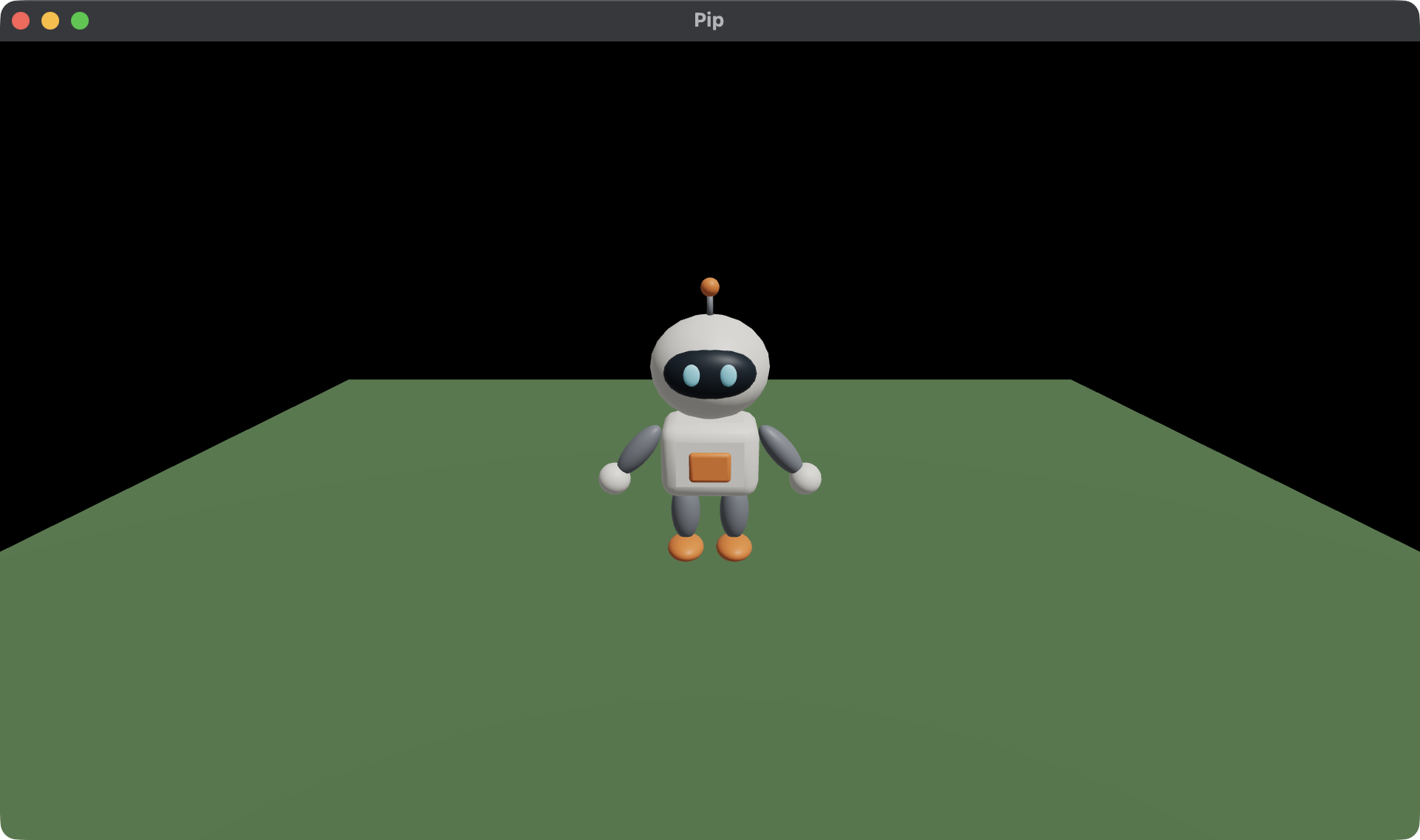
The editor starts with your app from 1. A window, a camera and a cube. If you get lost, press Show answer to see the full app of this chapter.
The header stays the same:
app [init, launch, loaded, step, view] { cam: "https://github.com/Pixelsprout/rocco-engine/releases/download/v0.16.0/camera-HVUJTSKzVcZVjTnxuZPa9hMFU65JwXUY14vqCGmk2f3p.tar.zst", mesh: "https://github.com/Pixelsprout/rocco-engine/releases/download/v0.16.0/mesh-7zFcKD4YWLEtnKqeAVRi6GH7zXKgL9fpVyzf4SdAx12y.tar.zst", pf: platform "https://github.com/Pixelsprout/rocco-engine/releases/download/v0.16.0/platform-7dtsuSpabi2sAHN4AKwgRzJjpBNfD6gsWkPJ4PWpZf5D.tar.zst", roc: "0.1.0-rc1" }The mesh file
Pip is a binary glTF file, pip.glb. The Tour gives your game its assets,
so the file is already there. A mesh takes the name of its file stem, so
pip.glb is pip. Assets and Packs shows where each kind
of asset goes.
The Model
Change the Model. The cube becomes the ground, and Pip gets its own mesh id:
# pip is 0, the fallback mesh, until loaded gives its id.
Model : { ground : U32, pip : U32 }
Load the Pack
A Pack is a named set of assets that load together. Your game asks for a
Pack with the Load Command. Change init, and fill in loaded:
init : Vocabulary.Config -> { model : Model, commands : List(Command) }
init = |_config| {
	model = { ground: Mesh.primitive(Cube), pip: 0 }
	{ model, commands: [Load({ pack: "pip", assets: ["pip"] })] }
}

loaded : Model, Str, Manifest -> Model
loaded = |model, _pack, manifest| { ..model, pip: Mesh.resolve(manifest, "pip") }
The host runs the Load right after init returns:
- The host loads
pip.glb. - The host calls
loadedwith the pack name"pip"and the Manifest. - The host calls
viewwith the Model thatloadedreturned.
So the first view already has Pip’s id.
The Manifest lists each name that the Load asked for, with its id.
Mesh.resolve finds a name in the Manifest. Call it in loaded and keep
the id in the Model, rather than looking up names in view.
If the file is missing, its name gets id 0. Id 0 is the fallback mesh, a magenta cube, so a misspelt name shows up on the screen and the game keeps running.
view
Draw the cube as a flat ground, and draw Pip on top of it:
view : Model -> Vocabulary.Scene
view = |model| {
	ground = { ..Draw.default, id: 1, mesh: model.ground, pos: { x: 0.0, y: -0.1, z: 0.0 }, scale: { x: 6.0, y: 0.2, z: 6.0 }, tint: { r: 0.12, g: 0.25, b: 0.1 } }
	pip = { ..Draw.default, id: 2, mesh: model.pip }
	camera = Cam.look_at({ x: 0.0, y: 1.4, z: 2.6 }, { x: 0.0, y: 0.5, z: 0.0 })
	{ ..Scene.empty, camera, nodes: [Light(sky_light), Light(sunlight), Draw(ground), Draw(pip)] }
}- The ground is the cube, scaled to 6 units wide and 0.2 units high. Its top is at y 0.
- Pip stands on y 0 and faces
+z, toward the camera. Pip is about 1.1 units tall. Its colours come from the file, so it keeps the white tint ofDraw.default. - Each Draw has its own id. Keep the id of a thing the same from one step to the next. The Scene explains why.
nodesholds the lights from chapter 1, then the ground and Pip.- The camera moves closer and looks at the middle of Pip.
See the game
The Preview runs your game. If you turned auto-run off, press Run. Click the Preview to give it the keys.
Pip stands in the middle of a green ground.
Next, read 3. Moving, where you make Pip walk with the keys.