
Rocco v0.6.0
Rocco v0.6.0 is out!
If you’re new here, Hello Rocco! is the place to start. In short, Rocco is a 3D game engine where you write your game in Roc, and the engine underneath it is written in Odin. This post is less about what is in the box and more about why it’s built the way it is, and how it got here.
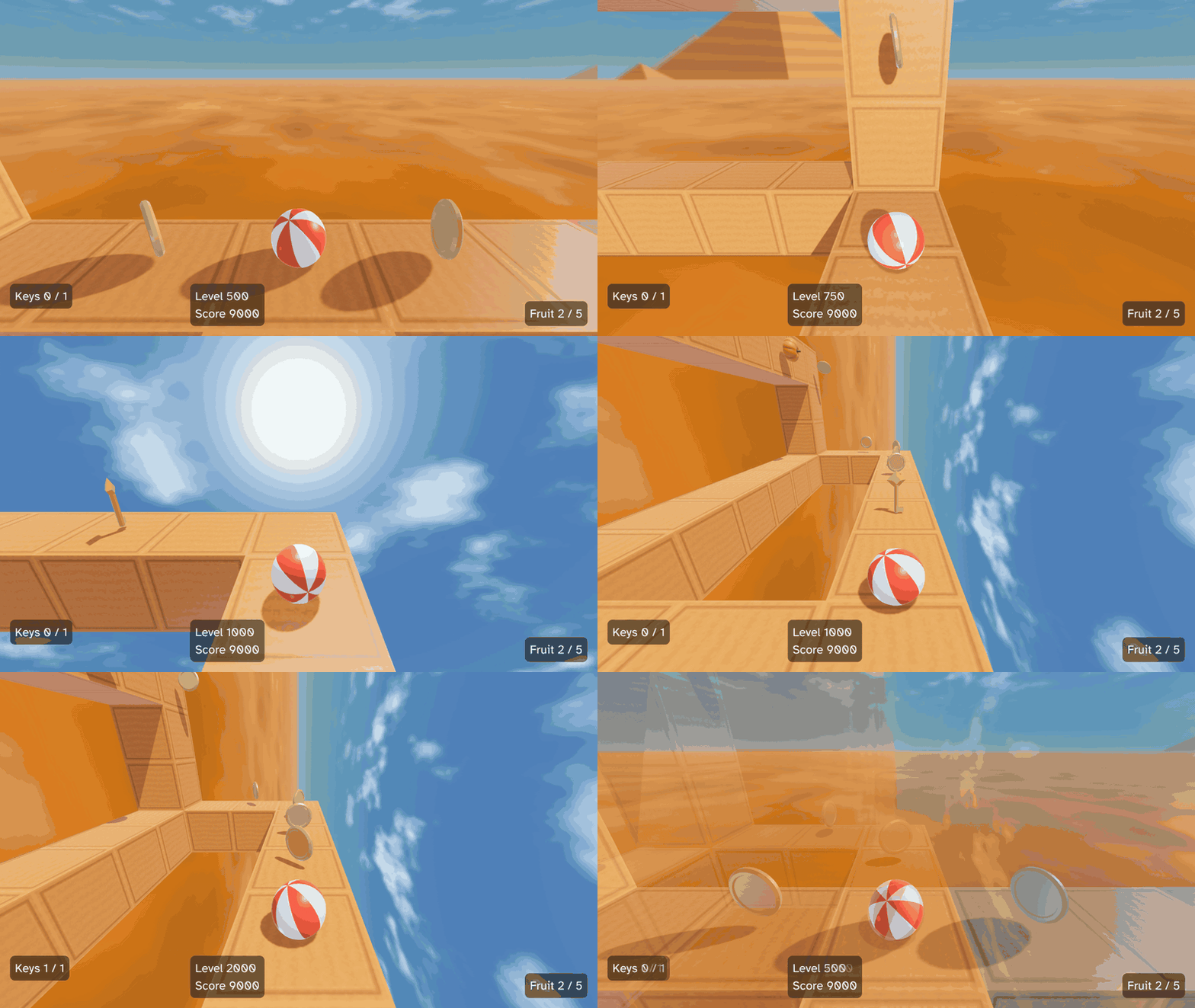
A while back, I set myself a rule for when Rocco would be ready to announce properly: when a small game could be made with it. v0.6.0 is the release where I think that’s finally true. There’s a guide and a ten-chapter tutorial, and there’s a real game built on top of it, a remake of Kula World. And there’s a way for an agent to sit down and play that game, just like a person would.
Underneath all of that is one idea that keeps coming back: your game describes, and the host does. Your Roc code never draws a mesh, plays a sound or measures a string. It returns plain data that says what the world should look like, and the Odin host makes it so. Almost every decision in this post falls out of that one seam, and it’s the reason building Rocco (and building games in it) has gone as smoothly as it has, in my opinion.
Let’s walk through it.
A game that never draws
The guide puts it bluntly: “In rocco, your game never draws.” Instead, view returns a Scene, and the 3D part of that scene is a tree of Nodes. A Node is one of five things: a Draw (a mesh), a Light, a Collider, a Speaker (more on those soon), or a Group that holds other Nodes.
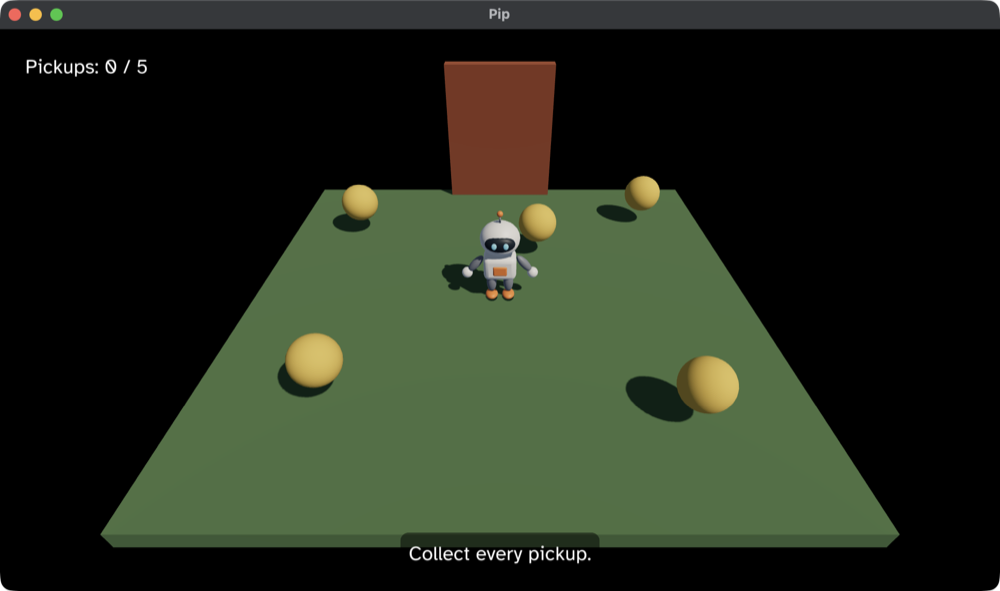
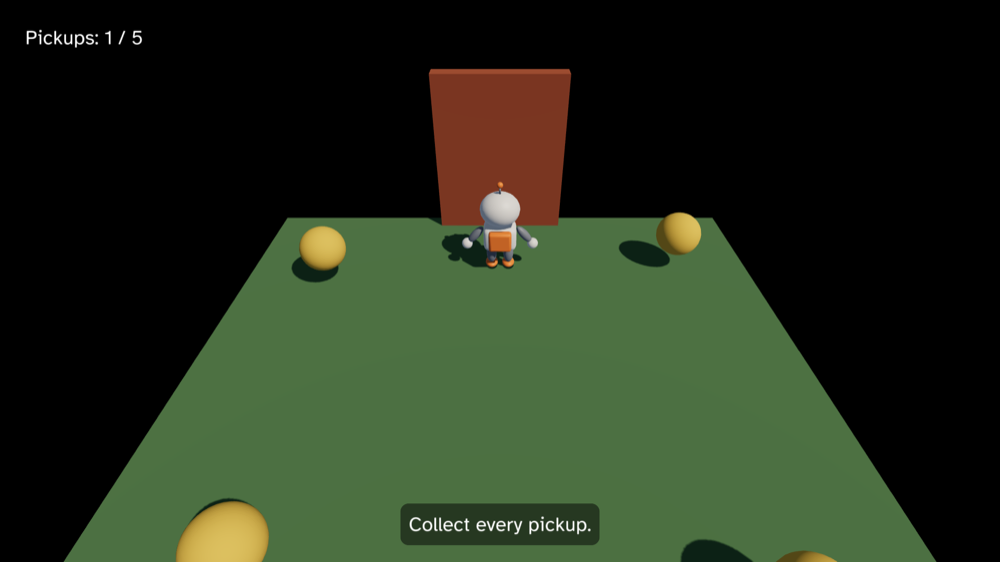
Here’s the scene from tutorial chapter 8, where Pip, the playable character, walks towards a door that rises once every pickup is collected:
door_group = Group({ id: door_group_id, pos: { ..door_pos, y: door_pos.y + model.door_lift }, rot: Quat.identity }, [Draw(door)].concat(door_speakers(model)))
nodes = [Light(sky_light), Light(sunlight), Speaker(music(model)), Draw(ground), Draw(pip), door_group].concat(pickups).concat(colliders)
The door is a Group. Everything inside it has a position relative to the door, so when the door lifts, its mesh and its sounds lift with it. The game never says “move these three things”. It just says where the door is.
Because the scene is only a description, the host is free to do clever things with it. The game runs on a fixed clock, but your screen probably doesn’t, so the host draws frames between steps. It pairs each Group and Draw with the one of the same id in the previous scene, and interpolates their local poses before composing them up the tree. That sounds like a small detail, but it means a thing held by a turning player “follows an arc, not a chord”, instead of cutting a straight line between two steps. Your game gets that for free, without knowing frames exist at all.
The tree is new since the early releases. Before v0.5.0, a scene was three flat lists of draws, lights and colliders, and anything that moved together had to be moved together by hand. Groups made a whole class of bookkeeping just disappear from game code.
The UI is a tree too
A score, a pause banner or a list of controls needs layout: text that centres, panels that stick to a corner, sizes that follow the window. But your game can’t do that layout itself, “because it never learns the size of the window or how wide a string is.”
So, the seam again: the game describes the UI, and the host lays it out. And because “a UI is nested by nature”, the description is a tree of Elements, made of just two kinds:
Element := [Box(BoxConfig, List(Element)), Text(Text)]Below is the Pong example’s scoreboard, a panel at the top-centre of the window with a row of cells inside it:
scoreboard : GameState, Score -> Element
scoreboard = |state, score| {
	cell = |own, other| Box({ ..centred, width: Fixed(48.0) }, [Text({ ..Ui.label(own.to_str()), color: score_color(state, own, other) })])
	Box(
		{ ..Ui.panel(CenterTop, { x: 0.0, y: 16.0 }), gap: 8.0, child_align: { x: Center, y: Center } },
		[cell(score.left, score.right), Text(Ui.label(":")), cell(score.right, score.left)],
	)
}
The tree crosses from Roc to Odin as it is, and the host hands it to Clay for layout. Elements don’t have ids. An element’s place in the tree is its identity, and the host keeps nothing from one step to the next.
This is one I’m quite proud of. The first version of the UI wasn’t a tree, it was a flat stream of open and close instructions that the host had to stitch back together. Switching to a real tree made the game code read the way the UI looks, and it was faster too: in the UI benchmark (1,024 elements), the median view went from 83 µs to 15.5 µs, and Pong went from 13 allocations a step down to 6. Writing it the obvious way turned out to be the quick way as well.
Lights as data
Lights are also represented as nodes in the scene tree, where they can be parented to other nodes within the scene. Currently, the engine supports ambient, directional and point lights, and a sun is a directional light that casts shadows.
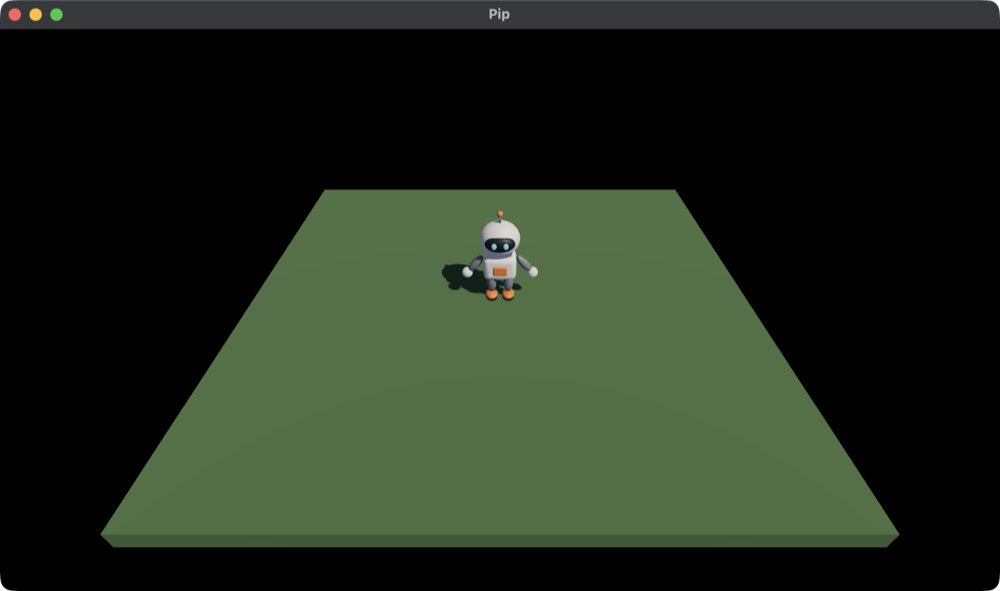
Here are the two lights from tutorial chapter 4:
# A cool sky lights the sides that the sun misses.
sky_light : Vocabulary.Light
sky_light = Light.ambient({ r: 0.2, g: 0.25, b: 0.35 })

# The sun shines from behind the camera and to the right, so Pip's shadow falls
# behind it and to the left.
sunlight : Vocabulary.Light
sunlight = Light.sun({ x: -0.5, y: -0.75, z: -0.45 }, { r: 4.5, g: 4.0, b: 3.4 })
Under the hood, that’s PBR shading in the glTF metallic-roughness model, with light colours in physical units (the same approach as glTF and Filament), all in linear colour and tone mapped at the end. You get one ambient light, up to eight directional and point lights, and a sun that casts a shadow map. Skinned, animated meshes cast shadows too. It all runs from one shader source on Metal, OpenGL and Direct3D 11.
Eight lights is a real limit, and it’s one I want to lift. Right now the host builds one list of lights for the whole frame, and every mesh is shaded with that same list, so the cap applies to the whole scene rather than to what’s near each mesh. That’s plenty for Pip’s little garden or a Kula level, but not for a town at night full of street lamps. Engines like Bevy and Godot’s Forward+ renderer reach hundreds of lights with clustered lighting: they split the view into small cells, and shade each pixel with only the lights that reach its cell. That’s the usual route to big light counts, but there are cheaper steps to weigh up first, like raising the cap or choosing the nearest lights for each draw. Letting more than one light cast shadows is on the same list.
The nice thing about lights being data is that they compose with everything else. Put a point light inside a Group and it moves and turns with that Group, the same as a mesh would. There’s no separate lighting system to learn, just more Nodes in the tree.
Who remembers a sound?
This is the big new feature in v0.6.0, and it starts with a question from the sound guide:
A sound lasts longer than a step. A jump sound plays for half a second, which is 60 fixed steps, and music plays for minutes. But your game is pure functions:
stepandviewreturn values and keep nothing between calls. So who remembers that a sound is still playing, and who stops it?
Rocco’s answer is to split sounds in two. A sound you fire and forget, like a pickup blip, is a Play Command. The host plays it to the end, and your game never thinks about it again. A sound your game controls, like music, a hum or a creak, is a Speaker: a Node in the scene, right alongside the Draws and Lights. It plays for as long as it’s in the scene, either on a Loop or Once.
Here are the door’s Speakers from tutorial chapter 8:
door_speakers : Model -> List(Vocabulary.Node)
door_speakers = |model| {
	at = At({ pos: V.zero, range: door_range })
	hum = { ..Speaker.default, id: hum_speaker_id, sound: model.sounds.hum, gain: 1.0 - model.door_lift / door_height, at }
	creak = { ..Speaker.default, id: creak_speaker_id, sound: model.sounds.creak, at, repeat: Once }
	match model.phase {
		Playing if is_open(model) => [Speaker(creak)]
		Playing if model.door_lift > 0.0 => [Speaker(hum), Speaker(creak)]
		Playing => [Speaker(hum)]
		Won => []
	}
}
There’s no “start the creak” or “stop the hum” anywhere in there. The game just says which sounds should be playing right now, and the host works out the rest. A Speaker with a new id starts, one that leaves the scene fades out, and a change to its gain or pitch takes effect on the next step. The hum fades as the door rises, and the creak plays once as it opens.
At places a Speaker in the world, with a range for falloff and panning, and the camera is the listener. Because these Speakers sit inside the door’s Group, they rise with the door, and as Pip walks closer, the hum gets louder.
In v0.5.0, looping sounds lived in their own list beside the scene, with a world position of their own. That worked, but it had gaps: a one-shot sound couldn’t follow a moving object, and you couldn’t stop a sound that only plays once. Making Speakers Nodes closed those gaps, and it made sound work like everything else in the tree. If you know how a Draw behaves in a Group, you already know how a Speaker does.
The sound guide has the full set of rules, including what happens when the voices run out.
Proving it with Kula
A tutorial game is one thing, but I wanted to know if Rocco could hold up a real game. So alongside the engine, I’ve been building Kula, a remake of Kula World (Roll Away in the US), the PlayStation puzzle game by Game Design Sweden from 1998.
If you’ve never played it: you roll a beach ball across a grid of blocks floating in the sky, and gravity turns whenever you roll over an edge. Collect every key, then roll into the exit before the clock runs out. Kula now plays the first three Hiro levels of the original, complete with coins, fruit, the score, the level clock and its ticking, and the fall penalty. You can play it with a keyboard or a gamepad, and it runs straight from the v0.6.0 release bundles, with nothing but Roc installed.
Recreating Kula has helped drive the engine’s development, and it has shaped the baseline features the engine needs. It’s about 3,700 lines of pure Roc now, and a lot of the milestones on the roadmap came from it asking for something the engine didn’t have yet: textured levels, a sky, a HUD, a landing sound, a gamepad. The three Hiro levels were the last push before this release. The rule was that if a level needed a feature from the engine, the engine added it and documented it before the next release candidate.
And because Kula is just pure functions, data in and data out, most of the game can be tested with roc test, without ever opening a window. Which brings me to the part that excites me the most, and what I think makes this engine stand out from the crowd.
Then the agents could play
A lot of Rocco has been built with the help of coding agents. They’re incredibly good at writing code, but for a game, writing the code is only half the job. Someone has to actually play it. An agent can’t press W, it can’t see where the ball is, and it can’t tell whether 30 steps of rolling looked right.
That’s what the Bridge is for. Start a game with ROCCO_BRIDGE set, and the host listens on a localhost socket. A script (or a CI job, or an agent) connects and drives the run: it feeds in input for a number of fixed steps, reads back the whole scene as JSON, and saves screenshots. Here’s a Python script that walks Pip forward and checks how far it went:
import sys
sys.path.insert(0, "scripts")
from bridge import Bridge

def draw(reply, id):
    nodes = reply["scene"]["nodes"]
    return next(n["Draw"] for n in nodes if "Draw" in n and n["Draw"]["id"] == id)

with Bridge.connect(7878, wait=30) as b:
    b.hello()
    before = draw(b.scene(), 2)["pos"]["z"]
    b.step(30, held=["W"])
    after = draw(b.scene(), 2)["pos"]["z"]
    print(f"Pip walked from z {before} to z {after}")
    b.screenshot("pip.png")
    b.quit()
This is where the seam really pays off. Two things make it work.
First, “the game does not know that the Bridge exists.” It gets the same calls with the same kinds of values as always, so there’s nothing to change in a game to drive it. That’s only possible because the game never talked to the outside world in the first place. It only ever returned descriptions.
Second, between requests the run pauses, so “the same requests always give the same Scenes.” A check that says “roll forward 40 steps, then the ball should be on this block” gives the same answer on a fast machine and a slow one, every time. And because step is pure, a log of inputs reproduces any bug exactly.
Put those together and an agent can check its own work by actually playing the game. That’s how Kula’s three Hiro levels came together: an agent did most of the work of recreating them, along with the coins and fruit, and the Bridge let it run the game and look at the result instead of guessing. Kula even has a skill that replays a route of moves through the Bridge and records it, which is how the GIF at the top of this post was made. I didn’t press a single key for it.
I steer, I review, and I play the levels myself before a release. But having a game that an agent can play has changed how fast I can trust what gets built.
Come build something
All of this would mean very little if nobody else could use it, which is why the docs came first in the final stretch to this release.
The guide covers installing, the calls, scenes, assets, collisions, input, the UI, sound, gamepads, the Bridge and shipping a game. The tutorial builds Pip’s little game one chapter at a time:
- A window, a camera and a cube
- The character
- Moving
- Lights, a sun and its shadow
- Pickups
- The door and the win
- A HUD
- Sound
- A gamepad
- Animation
Each chapter is a complete, running game in the repo, so you can jump in anywhere and compare your code against it. And the API reference covers everything else.
Where to start?
The best place to start is the install page. All you need is the Roc nightly that this release pins. From there, the tutorial takes you from an empty window to an animated character with sound.
Rocco still has some clear limits, so here they are up front. It’s desktop only (macOS arm64, Linux x64 and Windows x64), and you build on each OS you ship to. There are no mouse buttons yet, just mouse movement. There’s no physics: you get collisions and queries, but your game moves things itself. Gamepads have only been tested with my wired Xbox controller. And Roc changes quickly between nightlies, so each Rocco release pins one nightly, and the API is still moving between releases too.
What’s next
Next up is the environment: giving a scene control over its own look, with tone mapping, exposure, fog and shadow settings. Kula will use it to fade distant blocks towards its theme colour, like the fog in the original.
Further out, there are some ideas I’d love to explore, though none of them are promises yet: web builds through WebAssembly, a way to build levels, choosing textures from the game itself, and terrain generation. If any of those sound exciting to you, let me know!
Thanks
A huge thanks to the Roc community on Zulip for all the help along the way, and a special shoutout to Luke Boswell for all the advice on building the Roc platform integration.
Rocco also stands on the shoulders of some wonderful projects: Odin, sokol, Clay and miniaudio.
The source is all on GitHub, and Kula is at Pixelsprout/kula. Go make something small, and tell me about it. Happy building! 🌱